Your leveling experience in World of Warcraft can be dramatically impacted by addons, from changing the immersion to improving efficiency and providing quality of level.
Whether your goal is to level as quickly as possible, to make the experience feel fresh and immesive or learn a new class, the addons listed here will improve and ehance the experience in different ways.
So here are 10 addons worth checking out before your next Retail leveling playthrough.

Dialogue UI
If you’re looking to feel more immersed, read through quests and have a new visual experience then Dialogue UI is one of my first addon recommendations.
Instead of the normal quest window appearing, you instead get an entirely new view, the quest window itself is revamped to be a parchment to feel like you’re being handed a quest scroll and the rest of the UI is hidden to really focus in on the quest itself. Not only that but you are also zoomed in to be more face to face with the NPC you are conversing with.
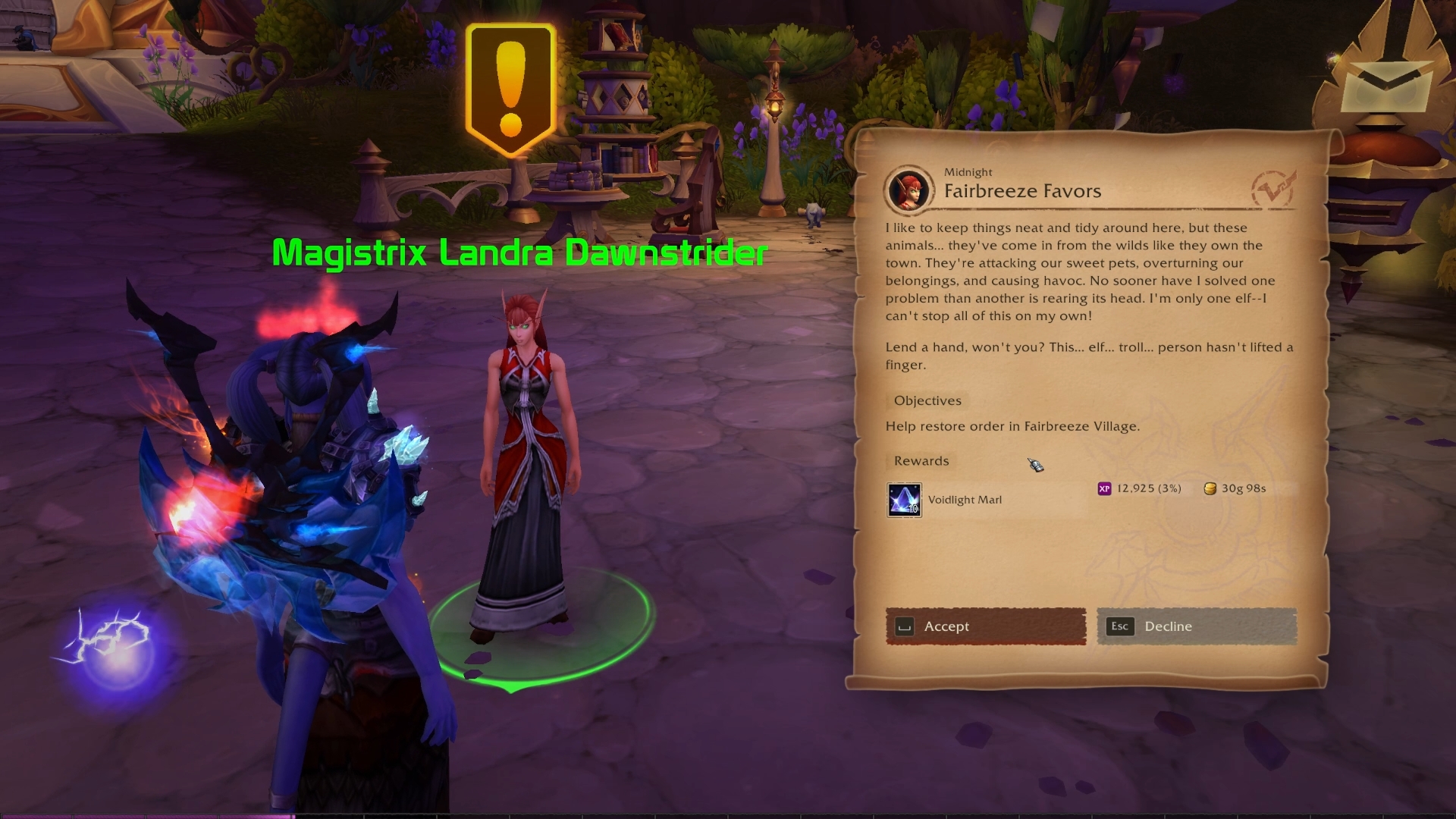
These details added together make it feel more alive, like you are having an actual conversation with someone who needs your assistance and they are providing you a scroll with what needs doing on it.
This addon does more than just visuals too. You can accept quests via keybinds, adjust the fonts, frames, visual themes, how the camera interacts and have it impact other areas of your gameplay such as lore text when finding a readable item.
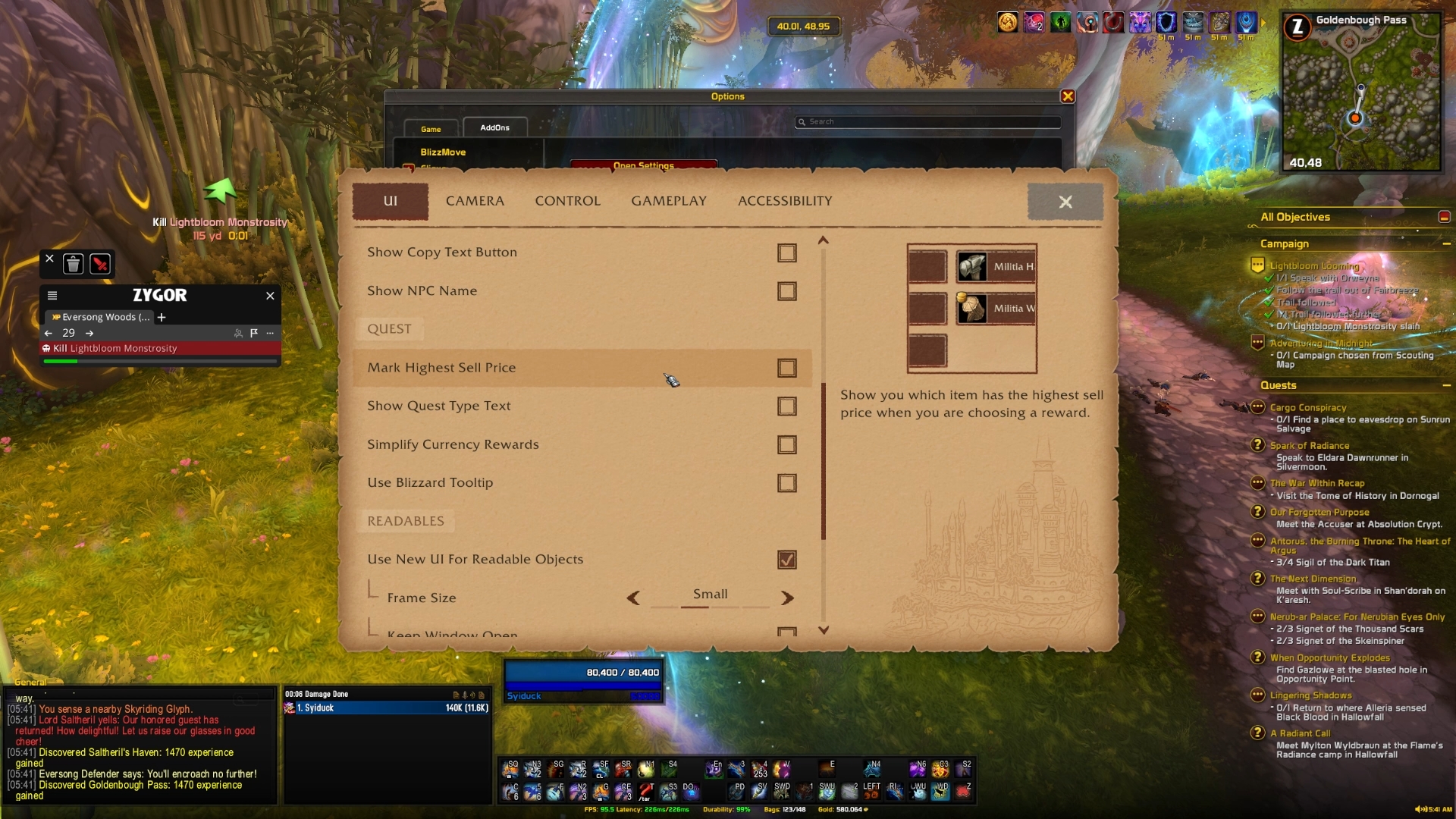
There is an alternative to Dialogue UI that I quickly wanted to mention too and that has a more modern era quest UI design. It swaps quest boxes to be speech bubbles and updates the UI to feel like a modern RPG. Both will enhance your questing experience though and make leveling feel more refreshing.
Zygor Guides
This is the swiss army knife of in game guidance. Zygor has been around since the earlier days of providing an in-game optimised leveling guide for your characters and since then has evolved to be so much more.
In terms of assisting you with leveling, you can choose your leveling bracket or specific zones, chapters, questlines and more depending on your current preference and you’ll be provided with step by step instructions on what quests to pickup, where to go, what to do and even tips and tricks for increasing efficiency.
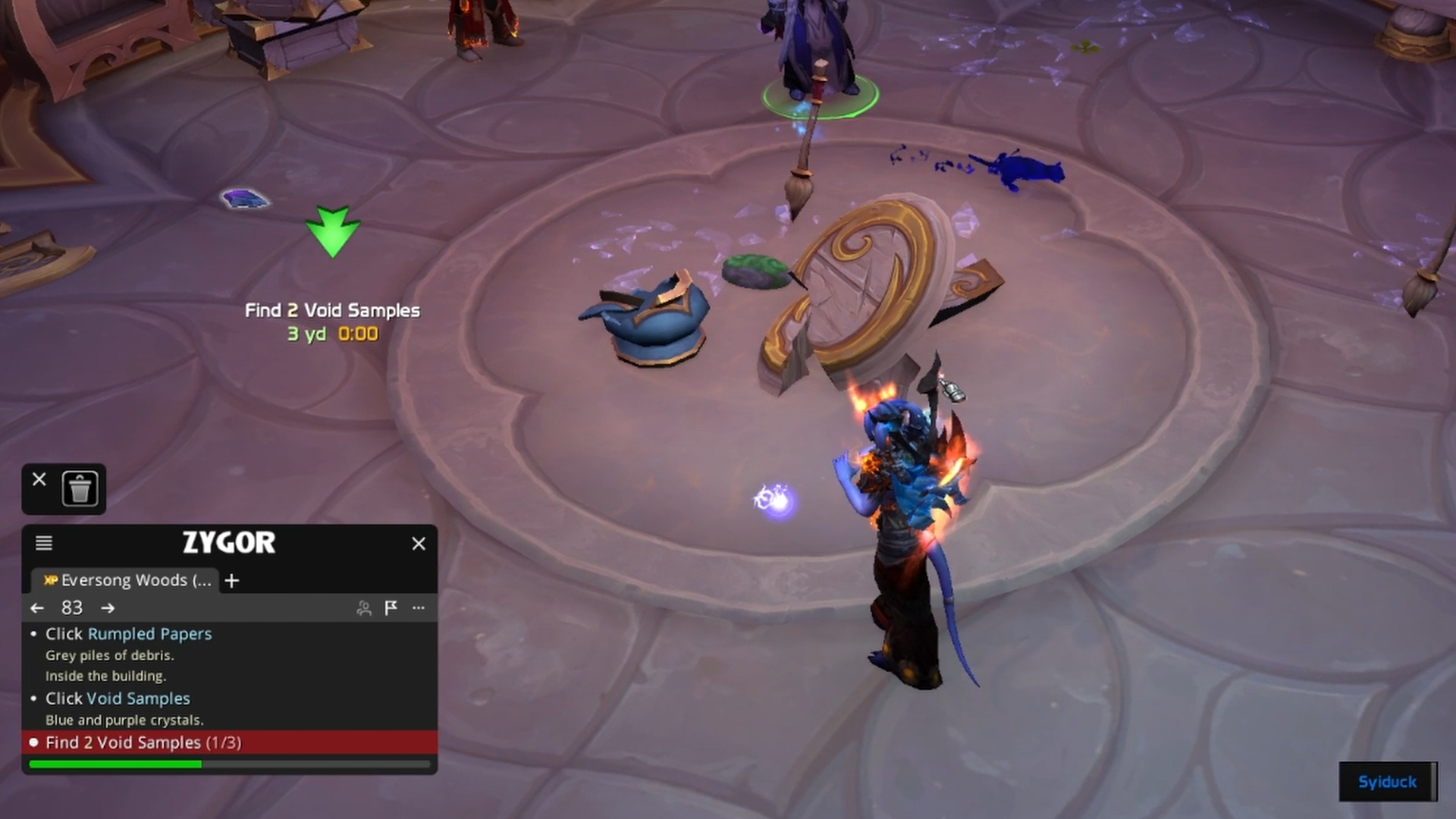
The routing has been designed around playing efficiently. It isn’t just guiding you through how to complete the campaign, zone or questline but advising you on the quests that should be picked up together so that you’re double dipping and not travelling back and fourth between areas.
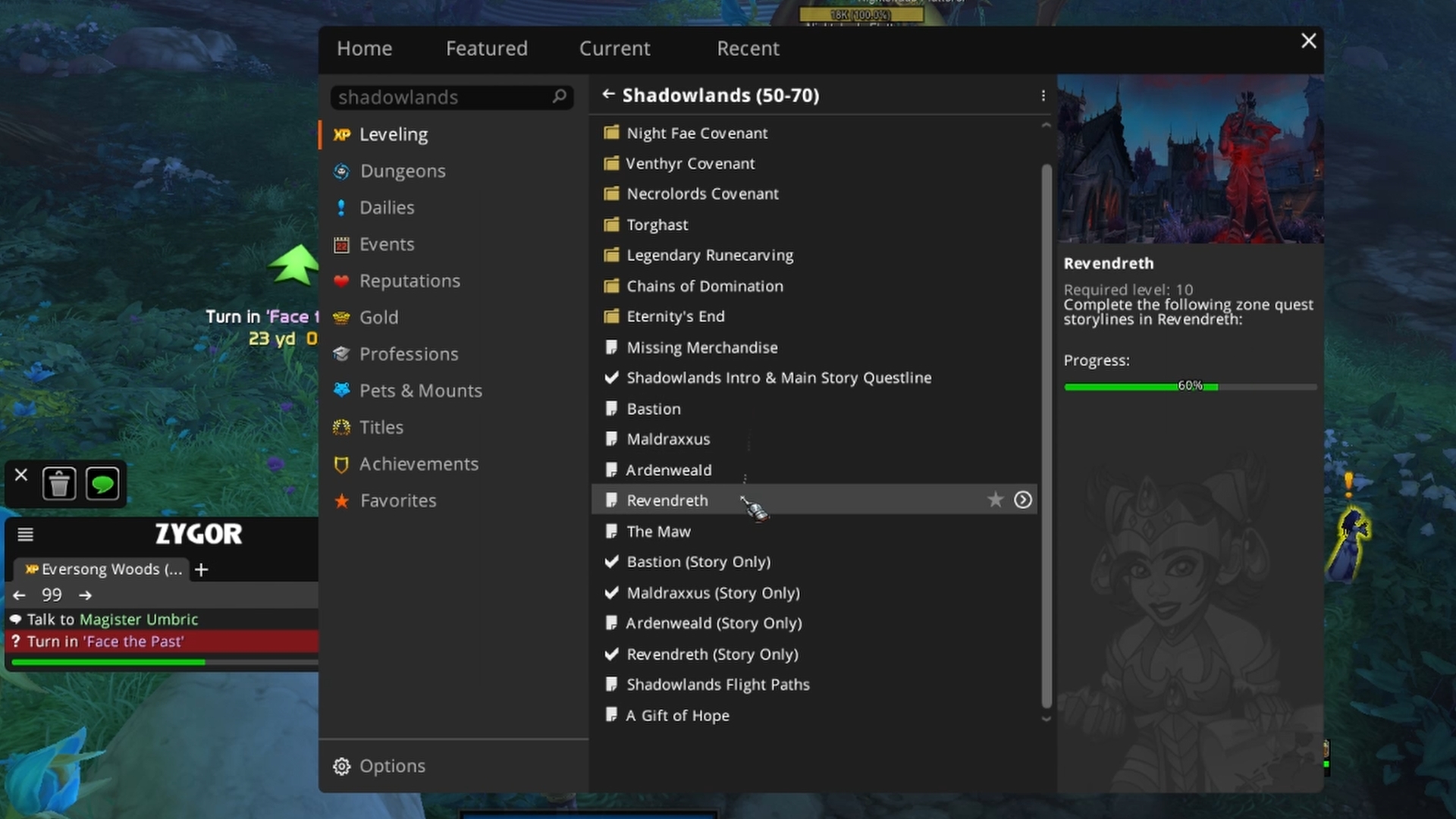
There is also a lot of automation and quality of life built into the addon. It will auto accept and handin quests for you, select certain dialogue, repair and sell junk. It will also highlight quest items that are most likely to be an upgrade for you and keep those upgrades highlighted in your bags to easily distinguish and recommend a talent leveling build for your spec.
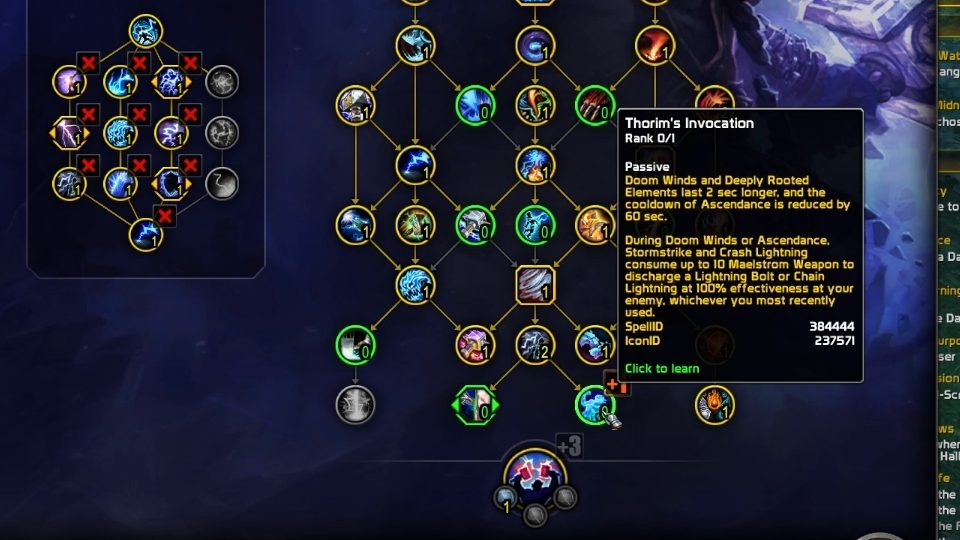
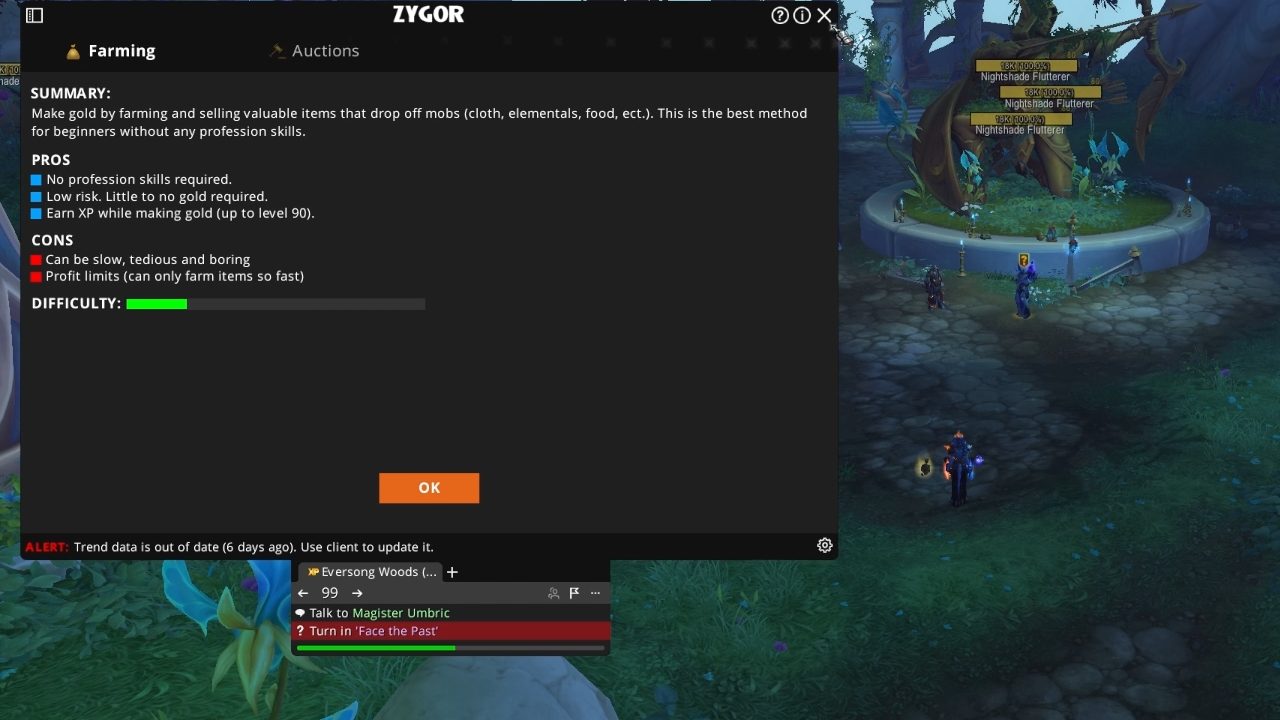
Zygor does much more than just assisting with leveling though, there are thousands of guides, covering mounts, achievements, hunter pets, professions and even additional tools to assist with gold making.
HekiLight
Blizzard added the rotation assist which is nice for those who want to focus on the other aspects of the game such as fight mechanics or quest objectives but at times it can feel difficult to know what’s next to press which takes more of your attention than needed.
That’s where HekiLight helps.
You might remember the name Hekili, this was the staple rotation helper before Blizzard’s restrictions for addons and it’s been reborn in a new way under HekiLight. It hooks on to Blizzard’s rotation assist to give you a cleaner timeline of what you should be preparing to press next along with other recommendations for what to press based on the situation.
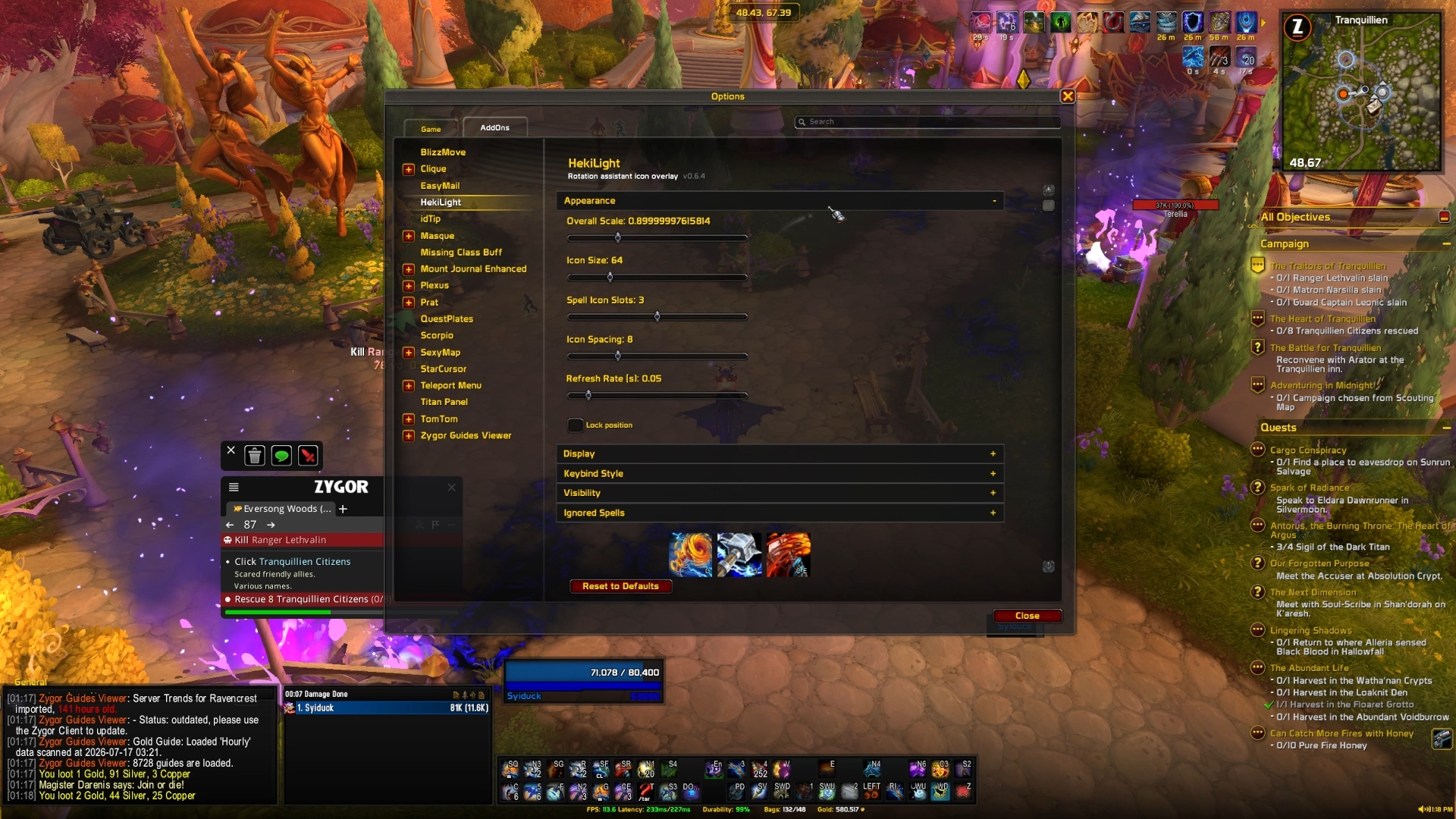
That makes it particularly useful when you’re jumping into a high level alt you’ve not touched for months or a spec you aren’t able to get the hang of, seeing the visual heads up of what to potentially press and with it changing on the fly based on procs or available buttons.
You also have multiple ways to customise the addon, such as the number and size of the abilities, you can change how the cooldown information is presented and even exclude spells you don’t want to be recommended at all.
I think addons like this are great, I don’t see it as a crutch but just as a way to get a base understanding of a class and build the muscle memory while not having to put so much of your mental load on trying to play the spec which lets you appreciate the other parts of the game more as you’re leveling.
Waypoint UI
Waypoint UI is one that just fits for leveling and general day to day gameplay, even though the addon itself is fairly simple.
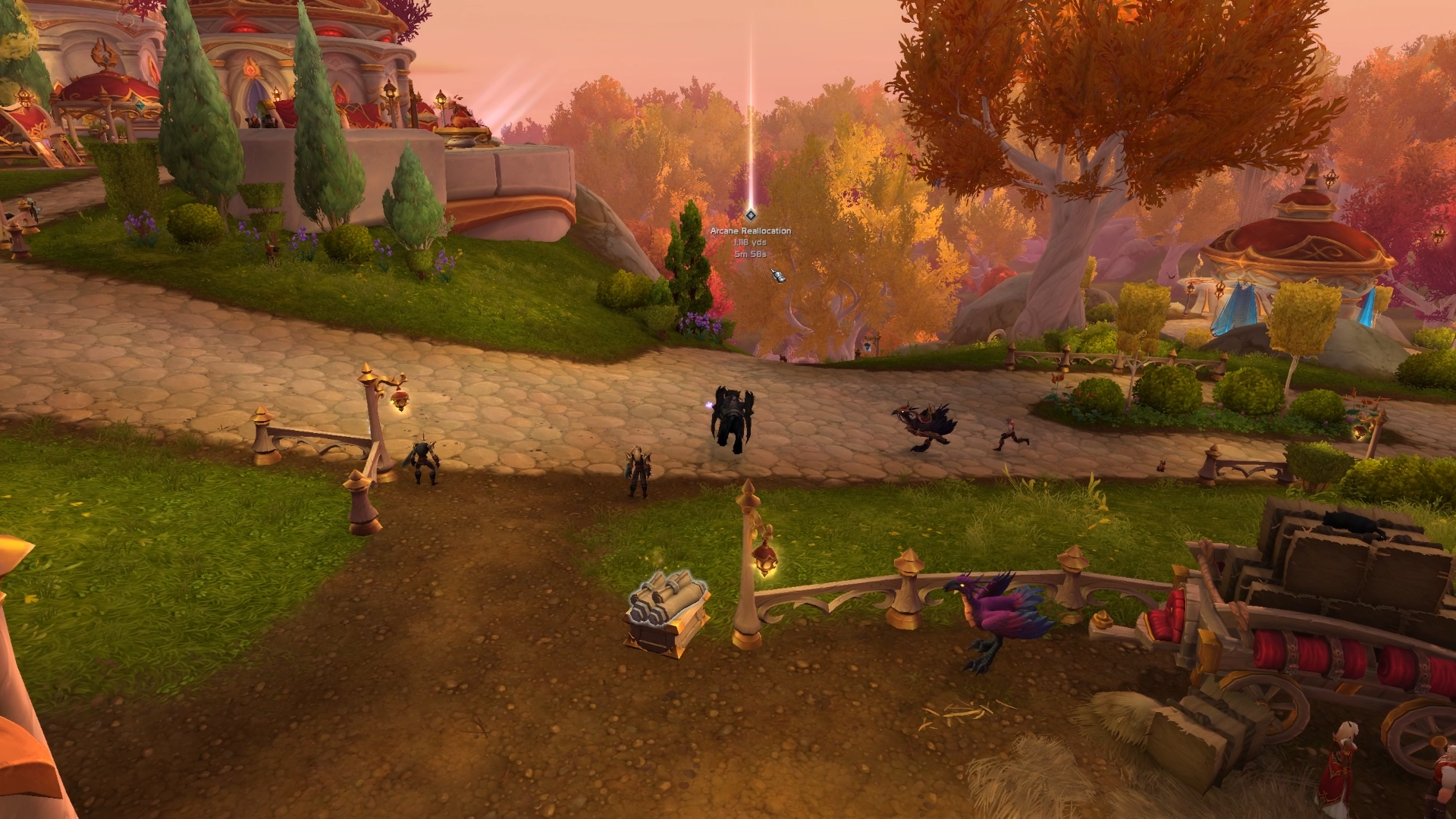
Rather than opening your map or checking your minimap on where to go next, Waypoint UI will add a large visible waypoint into the world space, so you can physically see where you need to venture to next.
Not only that but it can impact your pins and waypoints created by other addons such as Tomtom with a bunch of customisation, such as hiding your UI and changing how it looks visually.
So once again if immersion is your goal, then you should consider incorporating Waypoint UI into your immersive addon setup.
XP Bar Enhanced
You’ve probably never thought about replacing your XP bar, why would you need to? It tracks how much XP you have and how much you still need, however XP Bar Enhanced will make you second guess that thought.
XP Bar Enhanced gives you tons of detail information around your current and future XP, you can track how quickly you’re leveling, how much XP you have banked currently from quests and how close to your next level it will take you and give you a better overview of how your rested experience will effect your leveling.
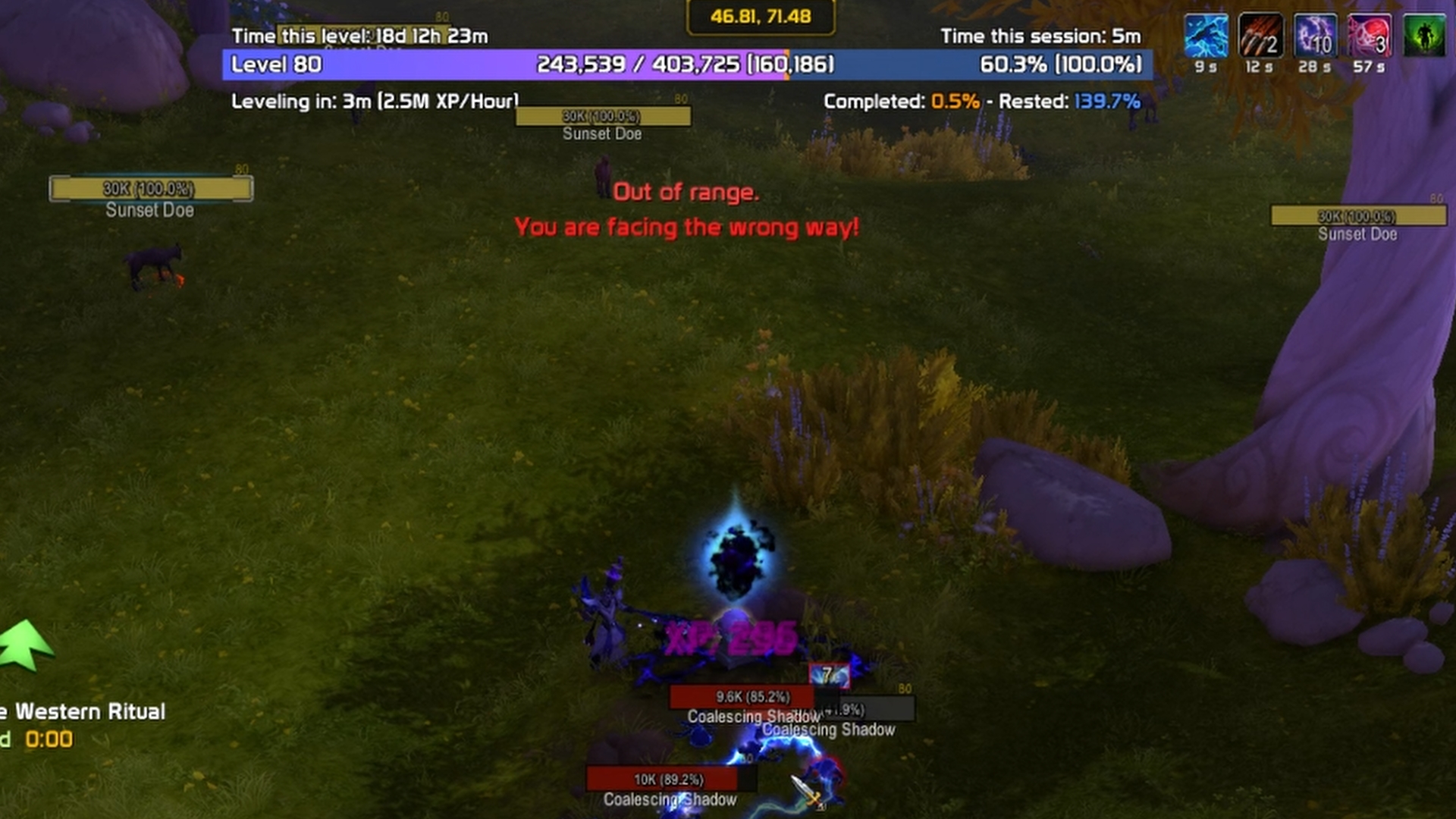
For some people this can turn leveling into more of a challenge, actively seeing how fast or slow your levels are can push you to get that timer down or make use of some method you stumble across that’s leveling you faster than whatever you were doing previously. For other’s it just gives helpful information so you can manage and understand how far away the next level is and how many quests you have left to do to reach it.
It doesn’t have to just be an XP bar either, there are various customisation options and even an entirely differnet look to turn it into a ring instead.
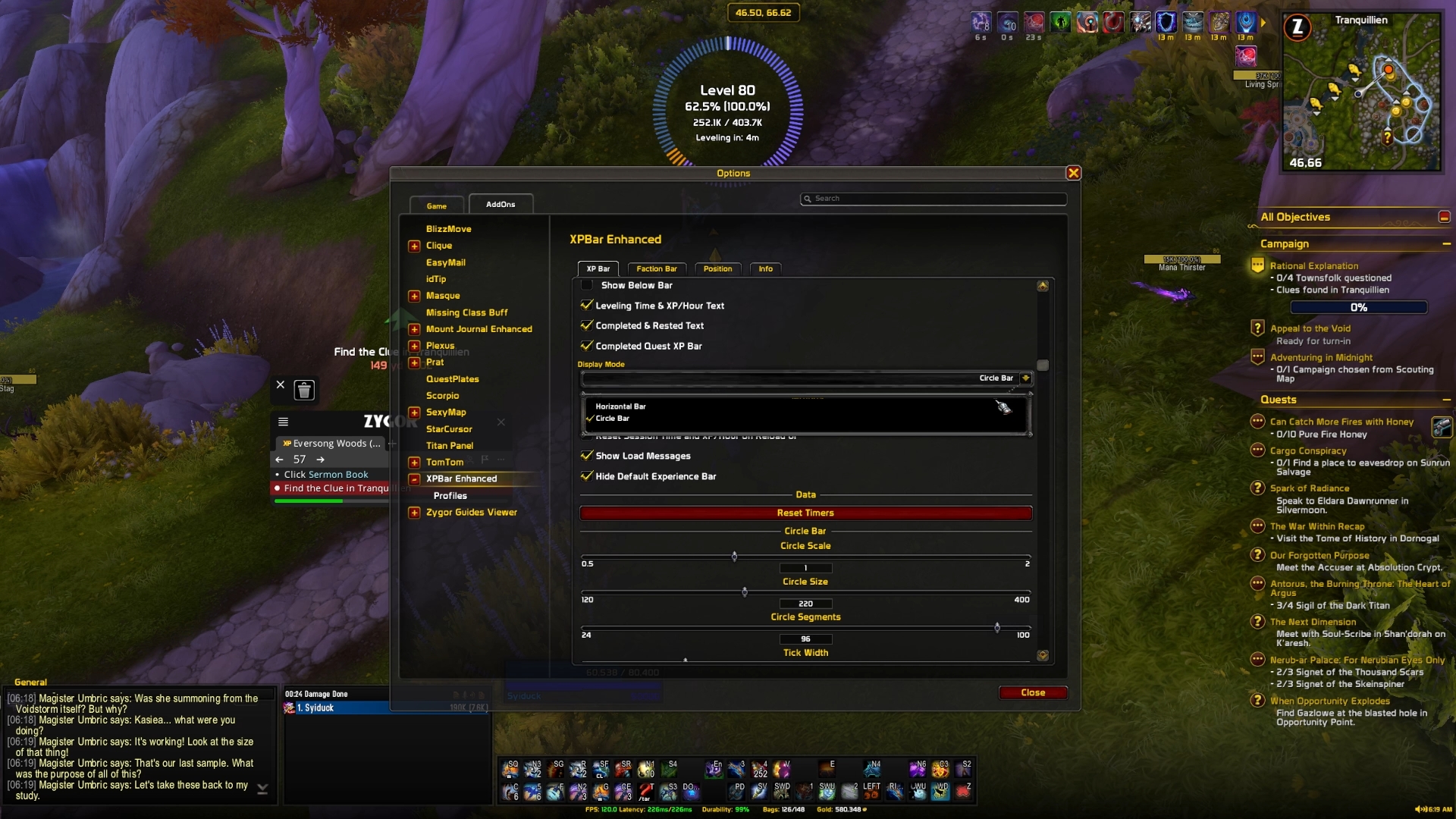
It also support a secondary progression bar for things like reputation or Valeeras leveling.
So if you’re someone who likes to see how efficiently you’re leveling, trying to beat a previous time or how many more quests left for the next level then XP Bar Enhanced is worth checking out.
QuestPlates
QuestPlates is another simple addon in implementation that makes a big overall difference.
When working on mob collect or mob kill quests you will often find yourself scanning the right side of your UI to find out how many you still need, QuestPlates removes that need, allowing you to focus on the important areas of your screen.
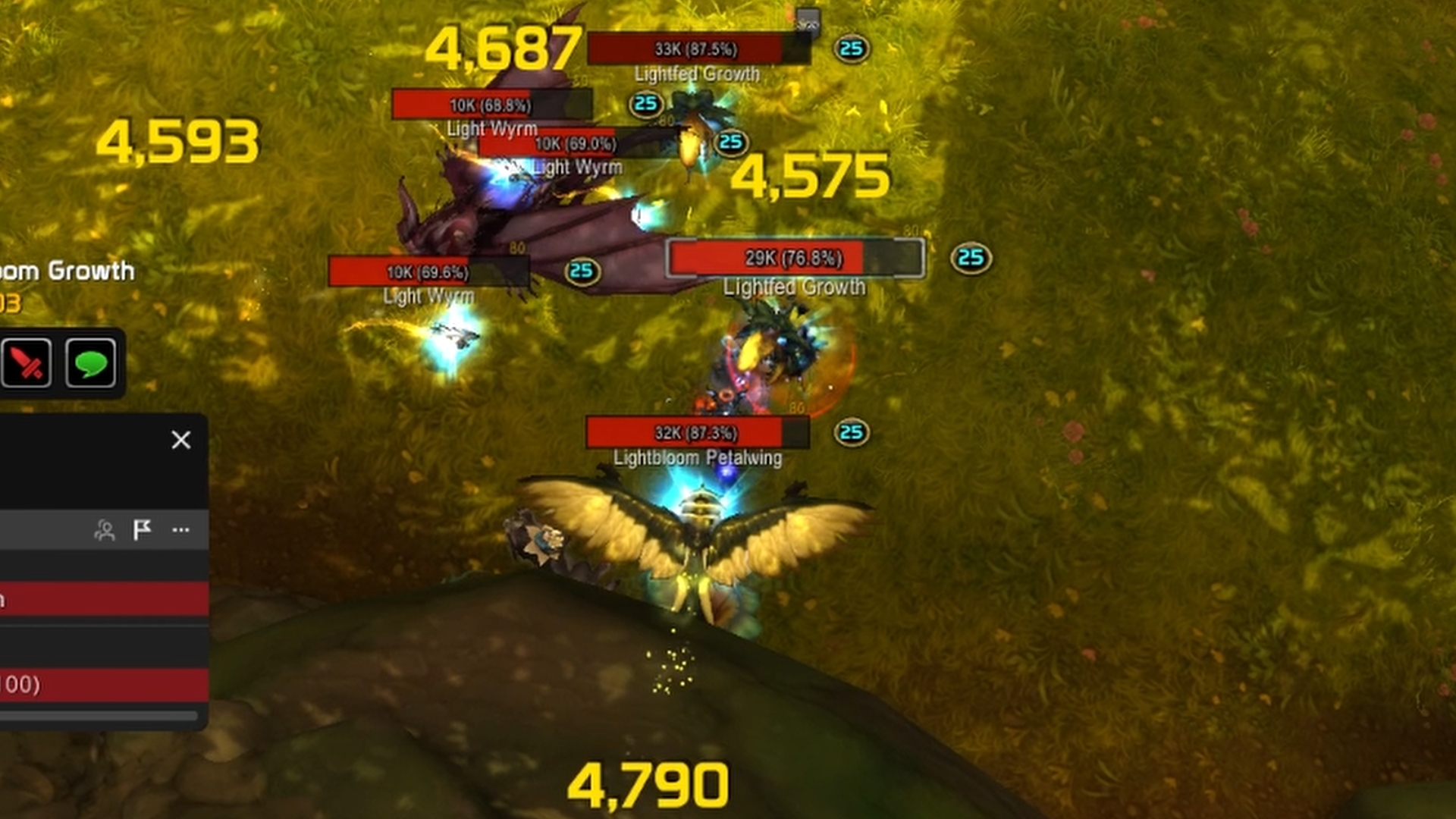
It achieves that by altering your mob nameplates to display those details right on top of the mob, simple yet genius. It will even work for any of the fill the bar style content, allowing you to keep track of the current percentage over the mob instead of being hidden somewhere in your list of quests and objectives.
It is worth noting that QuestPlates hasn’t been updated yet for the current patch and if it becomes unstable then there is a similar project that is receiving more active updates called RGX Simple Quest Plates to use as an alternative.
Teleport Menu
If you’re someone who’s collected a ton of teleport toys, spells and more over the years then Teleport Menu is invaluable for leveling and max level gameplay.
Instead of having to scour through your various collections, Teleport Menu puts them conveniently in your escape menu, so it isn’t adding any extra visual bloat to your combat hub.
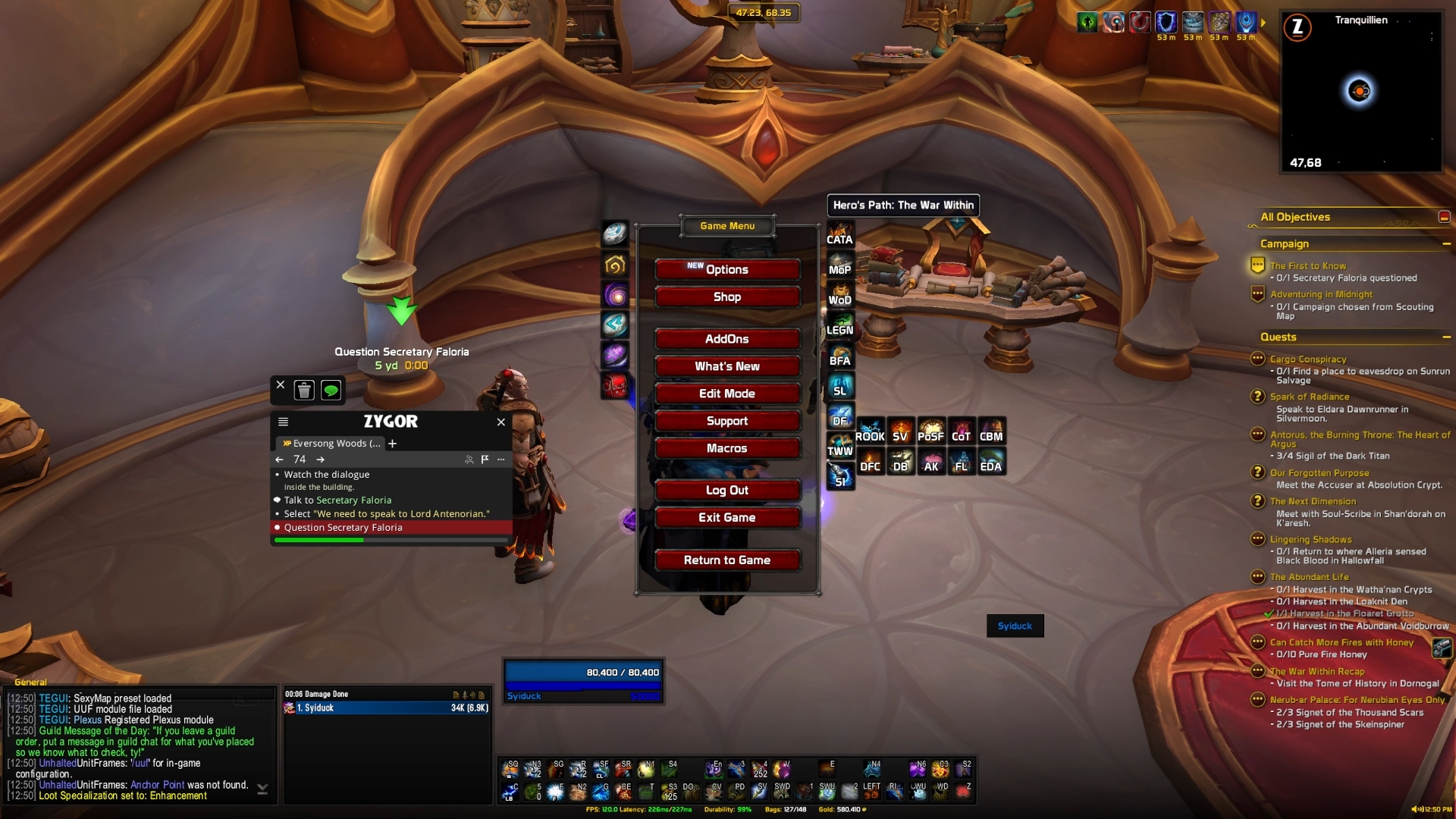
It goes a step further by having them organised along the sides of your escape menu, divided up by various categories, expansions and even having a separate tab for the current season, allowing you to get to your next M+ faster too.
So as a general day to day quality of life addon, you need something like Teleport Menu.
ConsolePort
WoW leveling surprisingly works quite well as a couch and controller experience and ConsolePort helps make the experience and transition even smoother.
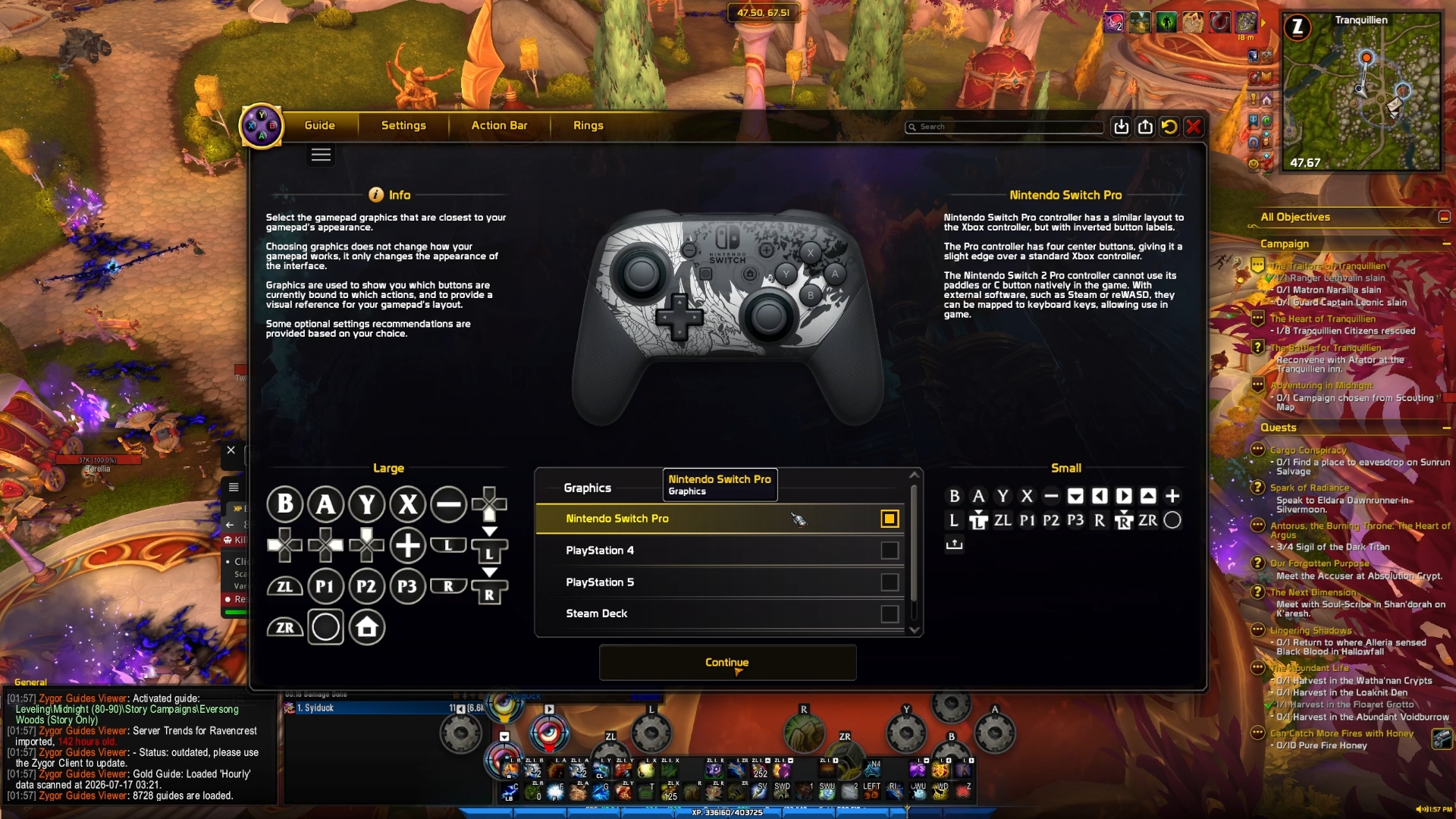
ConsolePort allows to you firstly select what kind of gamepad you will be using, once selected it will automatically configure your HUD to be more controller friendly, with radial menus, keybind revamps and other tweaks to make playing on a controller feel as natural as possible.
Setting it up to how you want will take a bit of work but once it’s setup you will have the ultimate relaxed leveling experience, sat back and enjoying the world that’s been crafted over the many years.
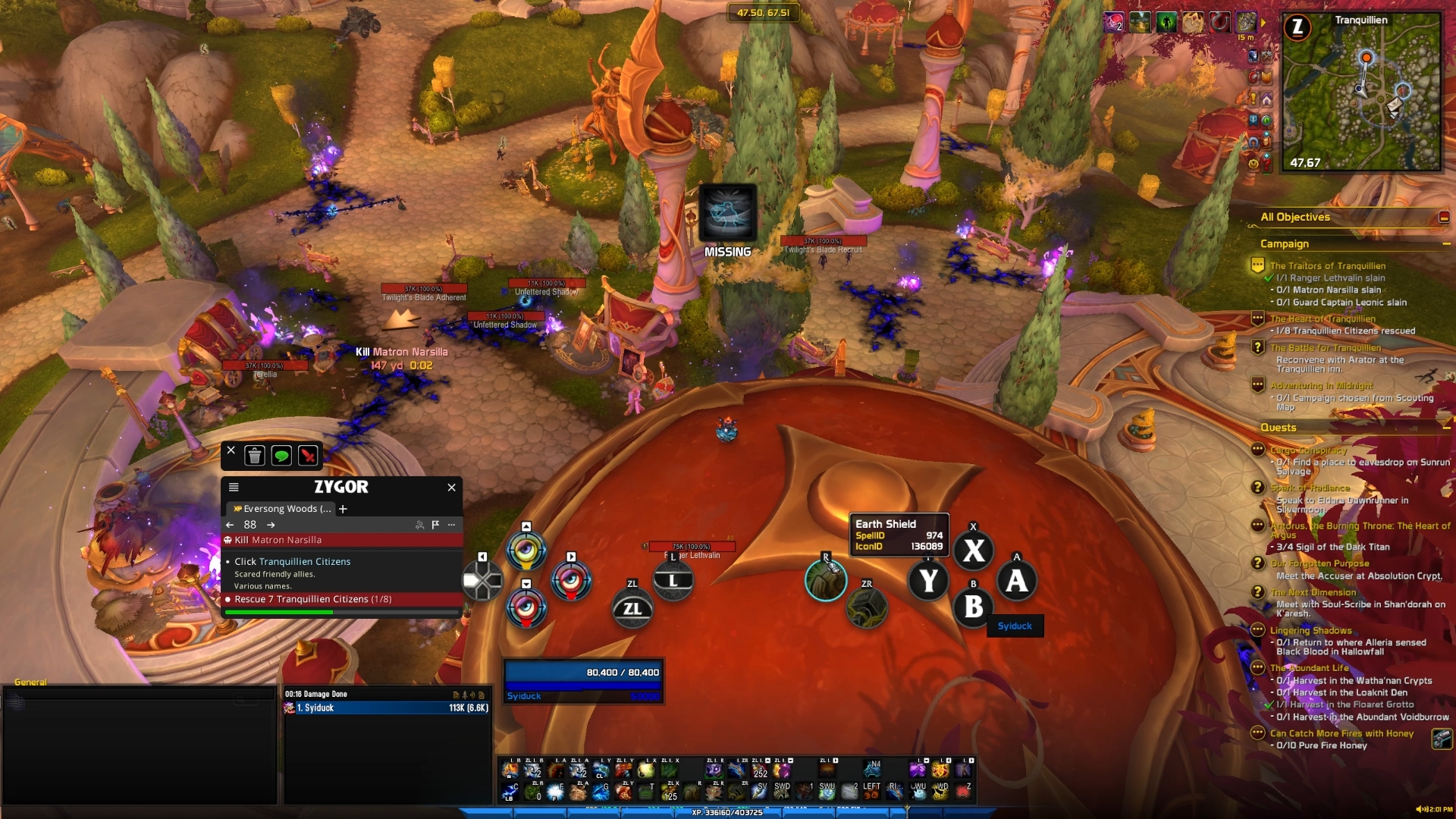
This gets even smoother if you combine it with Blizzards rotation assistant or HekiLight to further reduce the complexity required and allows you to play WoW like a button mashing RPG.
Memento
Memento isn’t going to make you level faster or even impact the immersion or general experience of leveling but it will do something you will appreciate in a week or a month or maybe even years from now.
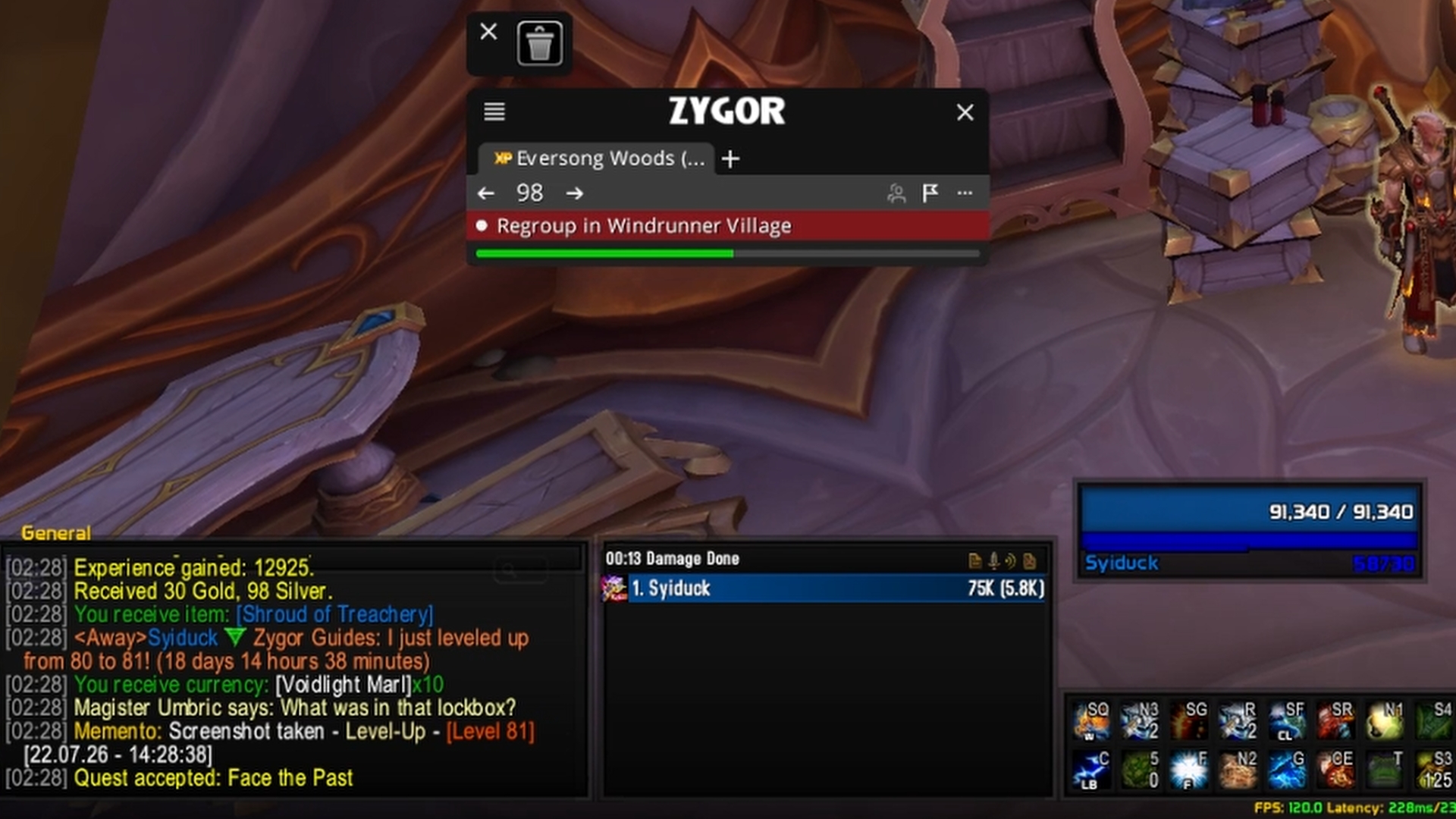
Memento automatically takes screenshots of important moments. Leveling up, obtaining a new mount, killing a raid boss or even completing an M+, along with various other milestones.
You can customise what exactly will be logged and how it will do it too, in terms of UI hidden or not, how soon after achieving the thing should the screenshot be taken and more. It can even do commands such as /played when you’ve leveled to capture your leveling speed.
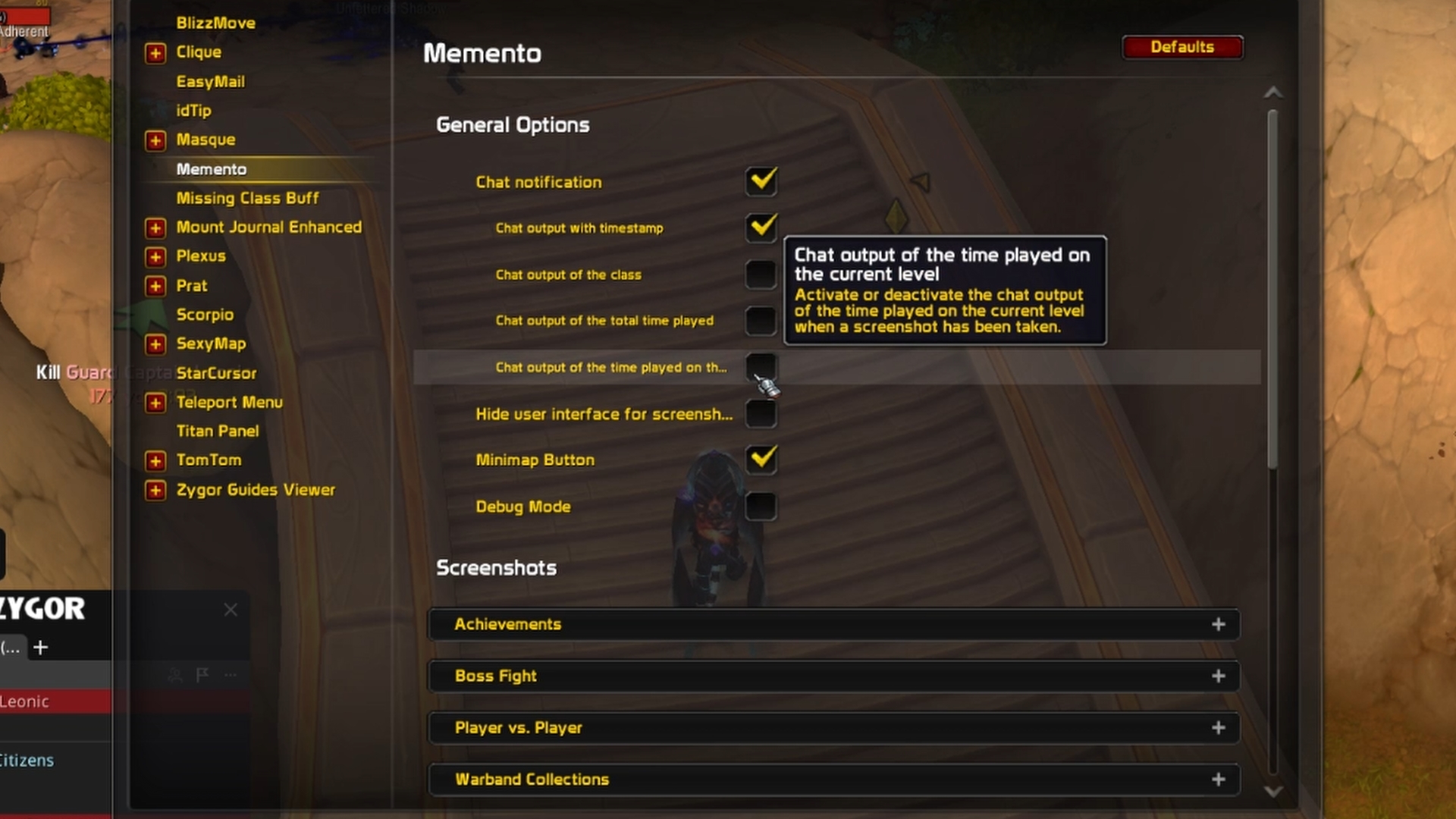
It might not sound that interesting but nostalgia is a powerful thing, having a library of screenshots that you can look at in the future, remember certains times in your life or certain achievements in the game is a powerful thing to have. That’s what makes me appreciate what this addon does.
Leatrix Plus
The last on our list is Leatrix Plus.
This is a big bundle of quality of life, from automating gossip options, speeding up looting to increasing your max zoon, destroying items faster, enhancing the minimap, hiding UI elements, muting certain sound sources and more.
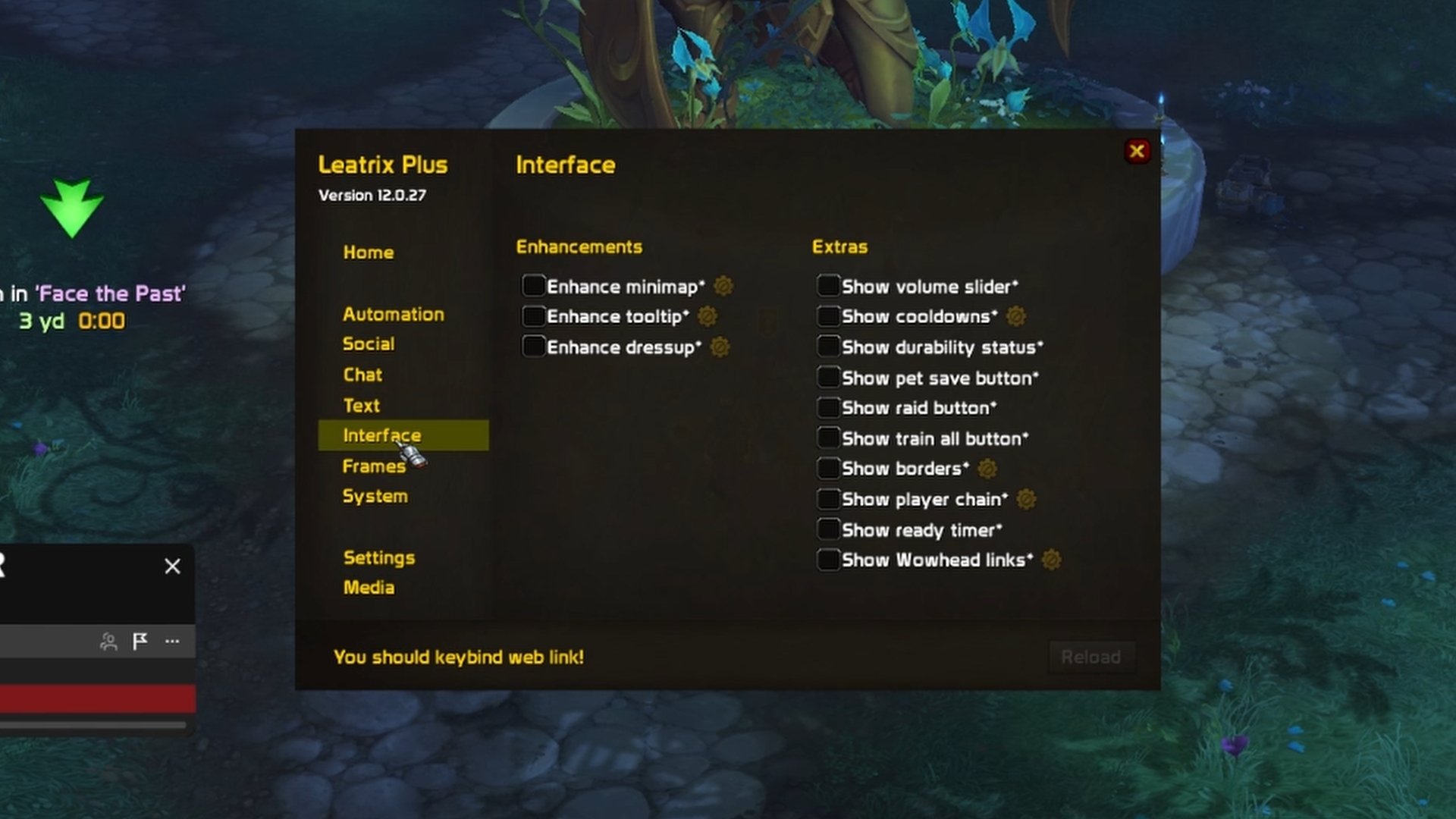
It comes with pages and pages of tweaks and quality of life modifications you can make to the game, you probably wont use all of them but I guarantee you will find a handful of the options available in the addon useful to your leveling and general WoW gameplay.
So I’d advise giving it a download and carefully checking through the pages to see if it fixes a problem you’ve always had or maybe one that you didn’t even realise you were having.
Which to Use?
I wouldn’t recommend downloading all 10 of these at the same time but they can definitely be combined together depending on your overall goal.
Things like Zygor, XP Bar Enhanced, Teleport Menu and Leatrix Plus being flexible and useful tools that can be weaved into nearly any setup.
If you’re after immersion then DialogueUI, Waypoint UI and even potentially ConsolePort can be core pillars to creating an immersive setup.